Team & roles
Everyone in HostCrust has a role in your organization that decides what they can do, from a read-only Viewer up to an Owner. You invite teammates by email; each sets up two-factor sign-in before they can see anything.
In the app: Open the Team page Set your action policy
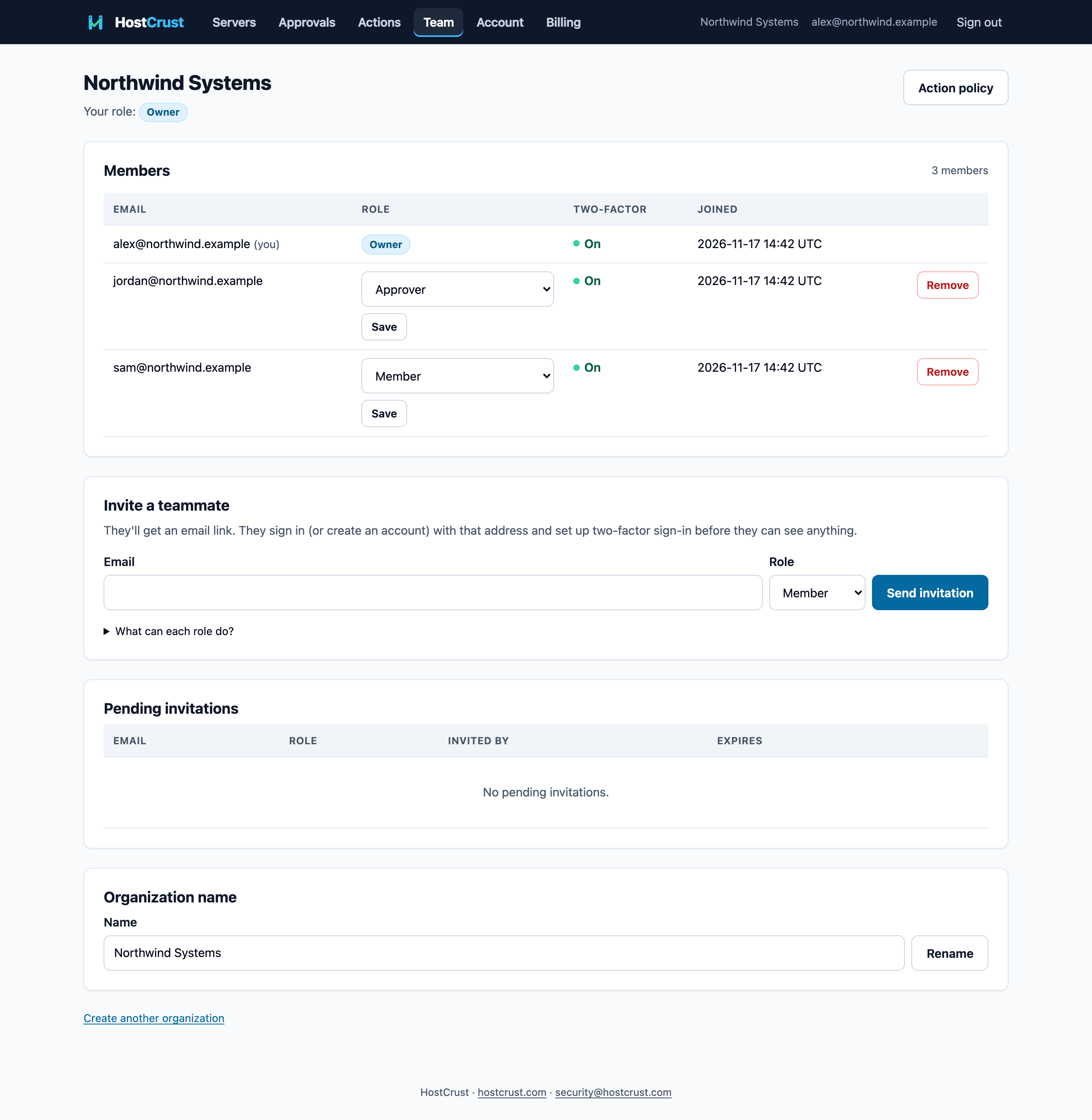
Your organization owns your servers, your team and your billing. The Team page shows your members and their roles, lets admins invite more, and links to the action policy that decides which changes need approval.
The five roles
Each role includes everything the ones below it can do:
- Viewer — see servers, status, patch status, action results and receipts.
- Member — also run read-only diagnostics and request changes (the action policy and approvals decide whether they run).
- Approver — also approve or reject changes that others request.
- Admin — also add, rename and revoke servers, set the action policy, manage the team and export all receipts.
- Owner — everything, including managing owners and billing.
Inviting a teammate
On Team → Invite a teammate, enter their email and pick a role. They get an email link; they sign in (or create an account) with that address and set up two-factor sign-in before they can see anything. Pending invitations are listed with their role and expiry, and can be revoked.
Changing roles and removing members
Admins and Owners can change a member's role or remove them. Admins can manage roles up to Admin; only an Owner can grant, change or remove the Owner role, so an organization always keeps an owner. Removing a member revokes their access to that organization immediately.
The action policy
Roles decide who can request and approve; the action policy decides what happens to each class of change — run automatically, wait for approval, or be blocked. It's on Team → Action policy (Admins and Owners). Remember the two limits that always apply: AI-agent requests always wait for a person, and each server's agent.conf has the final say over which classes it will run. See Applying a patch.
Switching organizations
If you belong to more than one organization, use the switcher in the top bar to move between them. Everything you see — servers, approvals, receipts, billing — is scoped to the organization you're currently in.
This documents the HostCrust product as of November 17, 2026. The screenshots are from the app.
FAQ
What are the five roles?
Viewer, Member, Approver, Admin and Owner, from least to most. Viewer sees everything read-only; Member can also request changes; Approver can also approve them; Admin manages servers, policy and team; Owner can do everything, including managing owners and billing.
Do invited teammates also need two-factor sign-in?
Yes. Everyone sets up two-factor sign-in before they can see any server or data — there are no exceptions by role.
Can someone belong to more than one organization?
Yes. Everyone who signs up gets their own organization, and can be invited to others. If you're in more than one, an organization switcher appears in the top bar.
Who can change roles or remove members?
Admins and Owners manage the team. Admins can manage roles up to Admin; only an Owner can grant, change or remove the Owner role.