Reading Patch Proof
Patch Proof compares every installed package and the running kernel against your distribution's own security data, per CVE. It sorts findings into four tabs — Open, Not running, Fixed by backport and No fix yet — so you can tell what's genuinely exposed from what a version-only scanner just thinks is.
In the app: Open the Servers page
Open any server and scroll to the Patch Proof card. It shows the distribution, when the inventory was received, and the four category tabs with a count on each. The header also offers Download full Patch Proof report if you want every package and ID.
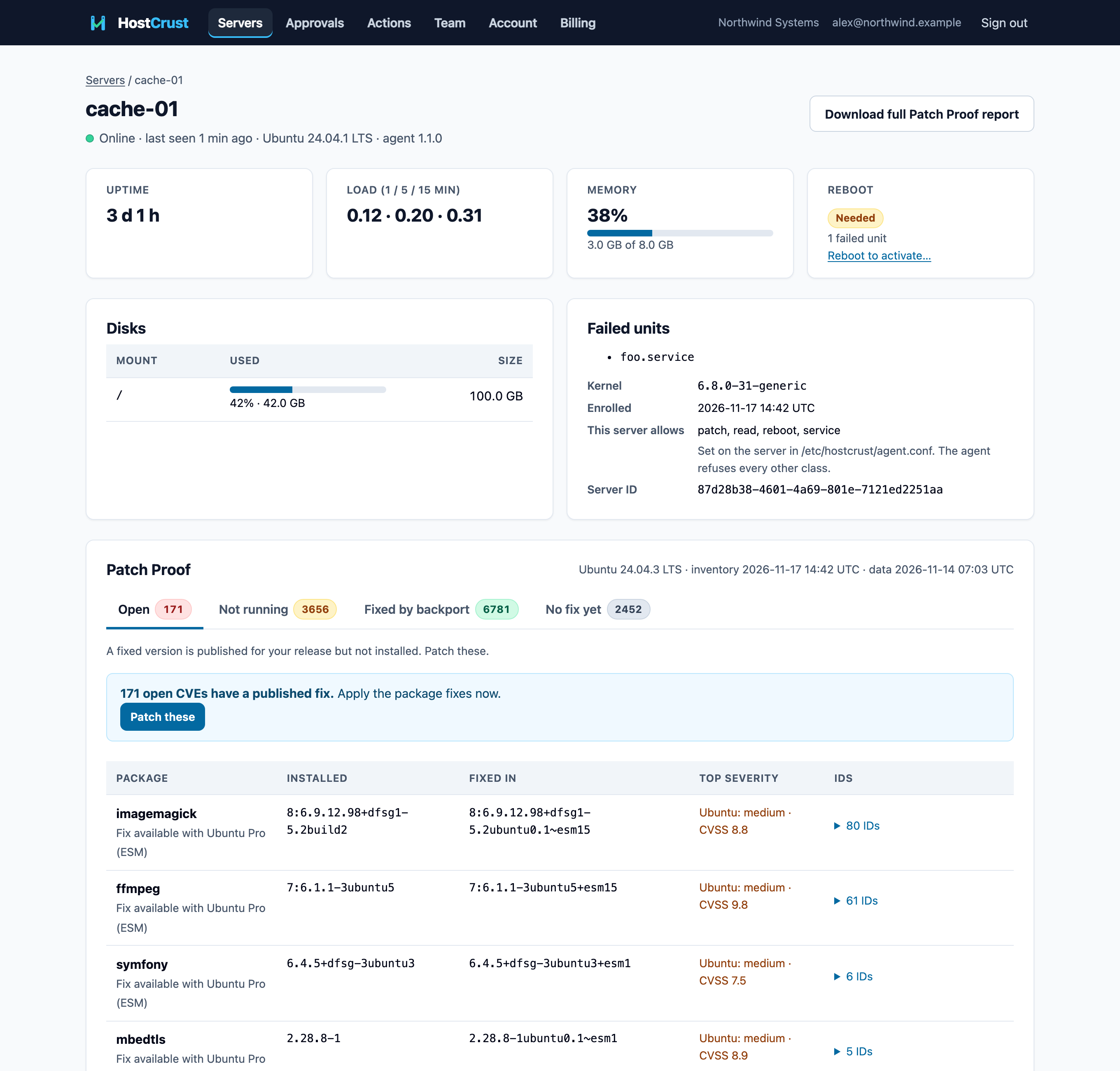
The four states
Every finding lands in exactly one tab. The one-line help under each tab tells you what it means and what to do.
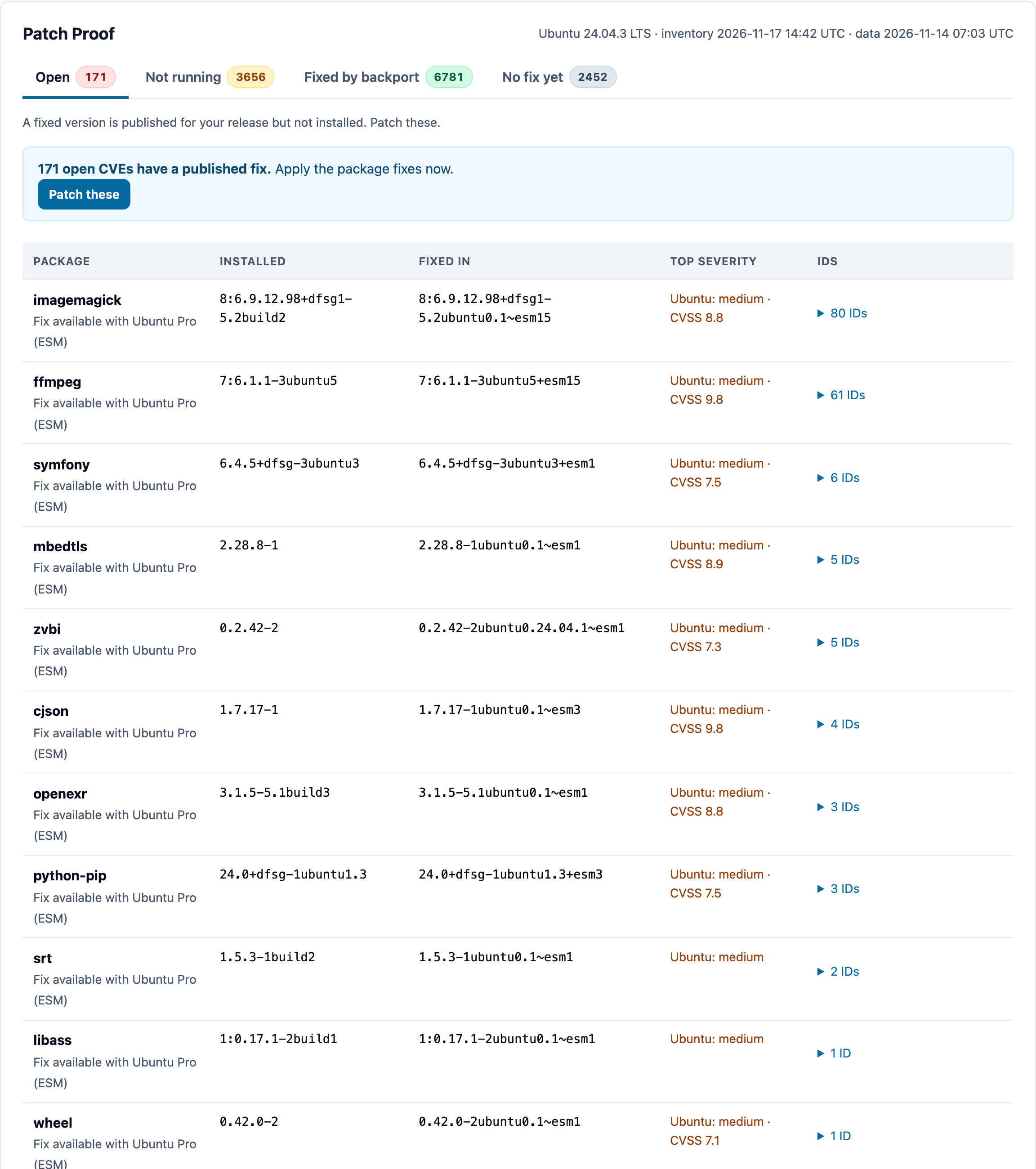
Open
"A fixed version is published for your release but not installed. Patch these."
These are your real to-do list: a fix exists for your distribution and release, but this server hasn't installed it. When there's a package fix, the tab shows a Patch these action; when the only open fixes are kernel updates, it leads with Patch everything + reboot instead (see Applying a patch).
Not running
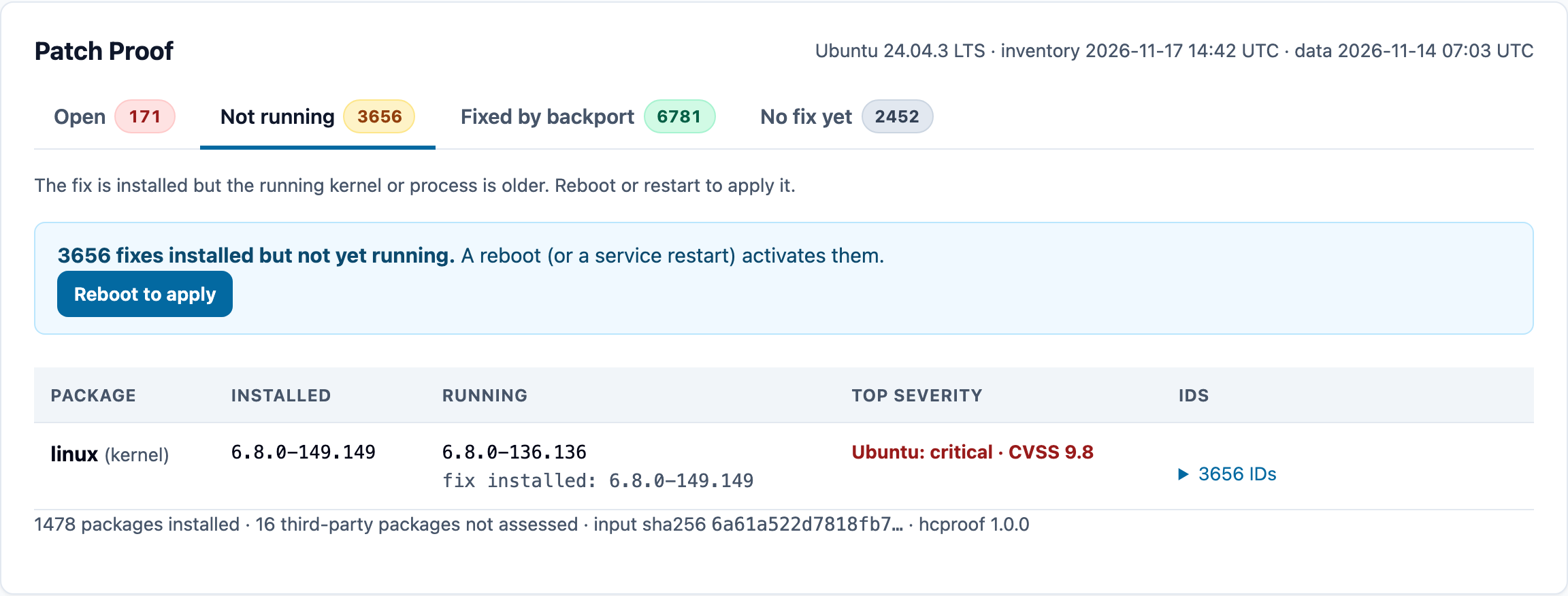
"The fix is installed but the running kernel or process is older. Reboot or restart to apply it."
The patched package is on disk, but the vulnerable code is still the one that's running — most often because a new kernel is installed but the server hasn't rebooted, or a service hasn't been restarted since a library was updated. The tab offers Reboot to apply. This is the gap version-only scanners miss in the other direction: they call it patched.
Fixed by backport
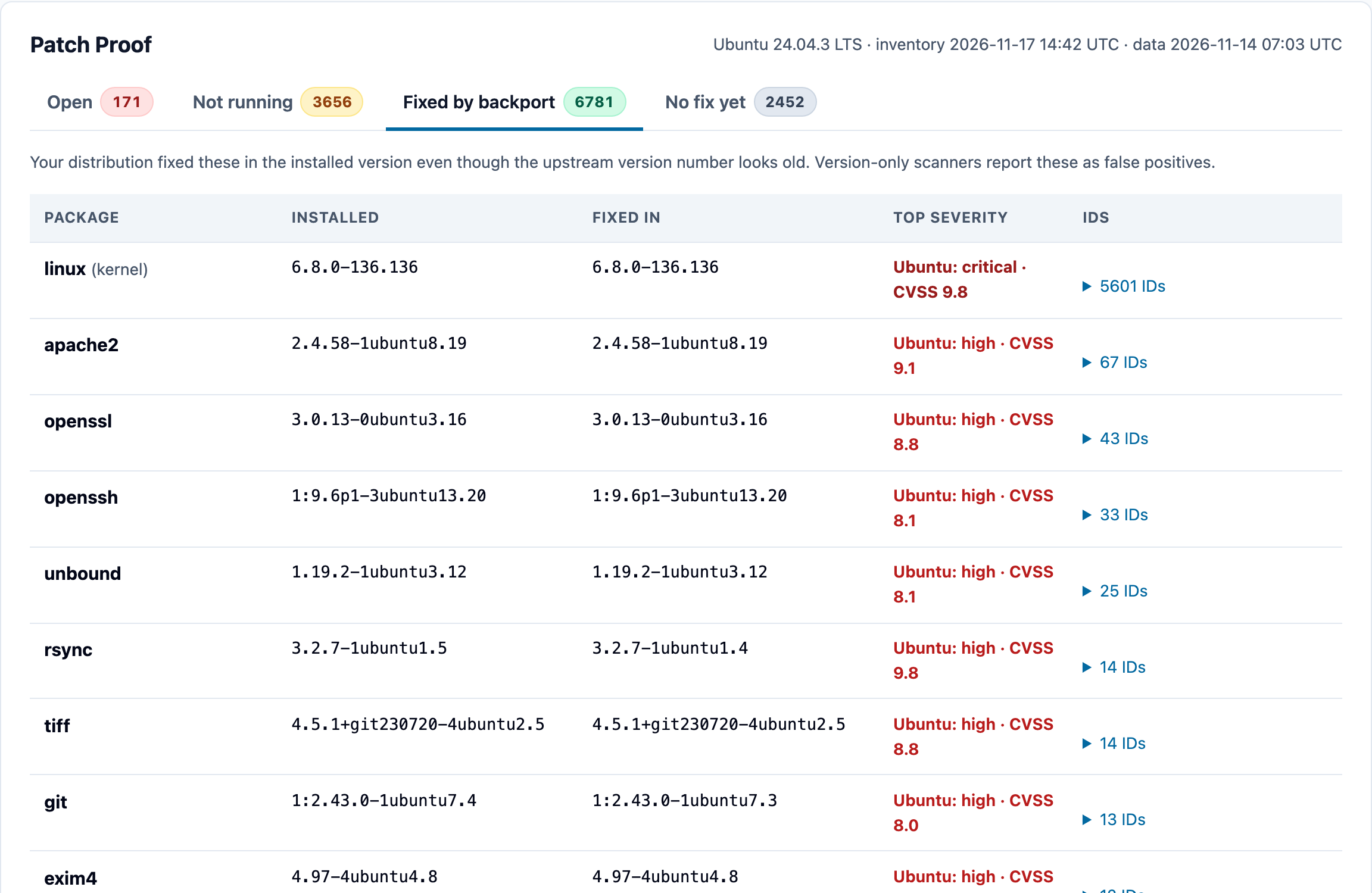
"Your distribution fixed these in the installed version even though the upstream version number looks old. Version-only scanners report these as false positives."
Nothing to do here — these are already safe. HostCrust shows them so you can see which "findings" from other tools are false alarms, and each row names the upstream advisory it backports.
No fix yet
"Known issues with no fix published for your release yet. Watch these and mitigate if needed."
A CVE is known but your distribution hasn't shipped a fix. There's nothing to install; the value is awareness — you can mitigate another way, or watch for the fix.
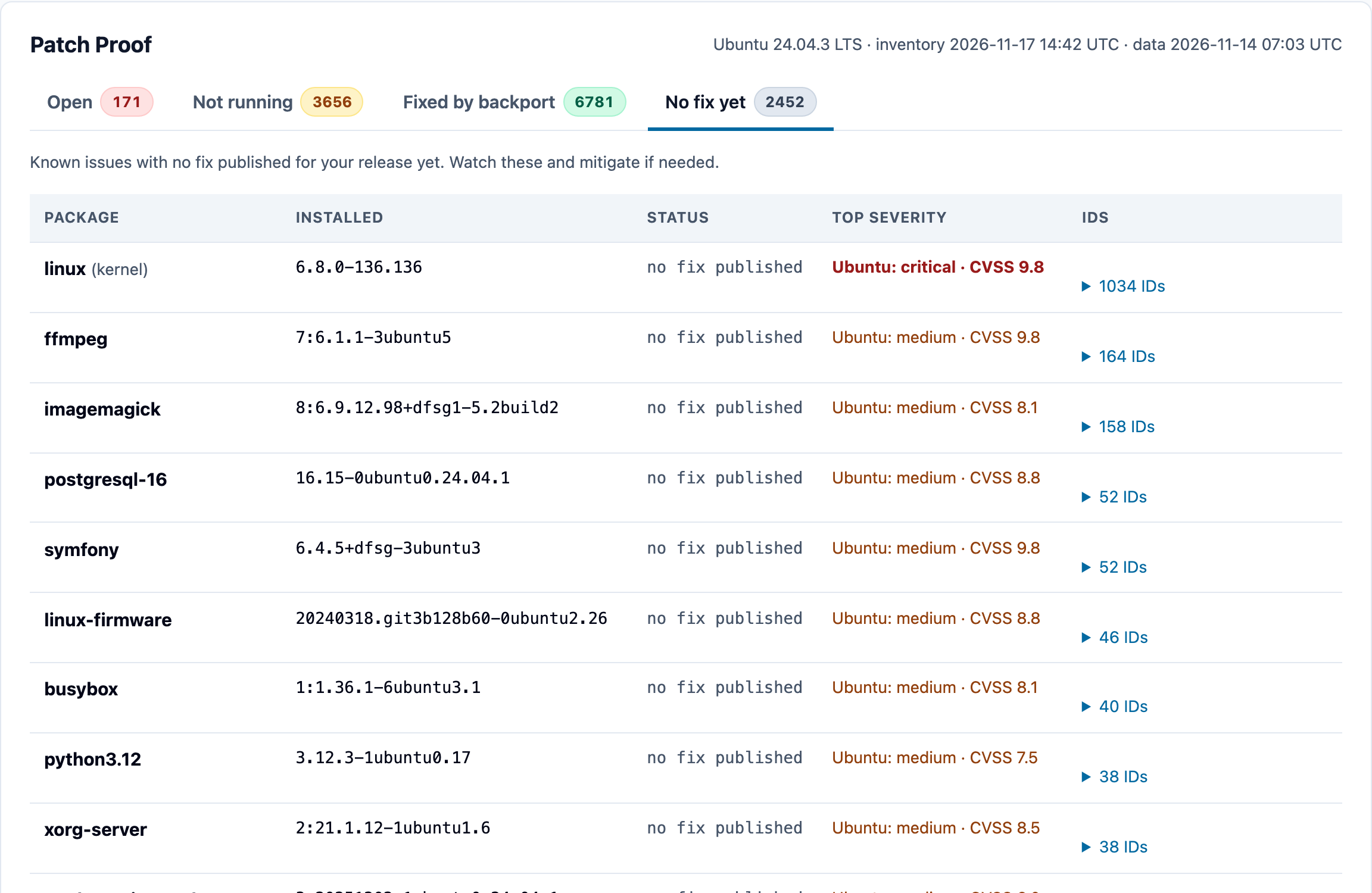
Reading a row
Each row is a package, with the installed version, what it's fixed in (or, under Not running, the running version vs. the installed fix), the top CVE severity, and an expandable list of the CVE IDs, linked to their advisories. The footer notes how many packages were assessed and how many third-party packages were not, and the input hash of the inventory that was checked.
From reading to fixing
Patch Proof is read-only — it tells you the truth, it doesn't change anything. When you're ready to act on the Open or Not running tabs, the action CTAs hand you into the guarded change flow. That's Applying a patch.
Patch Proof is the same engine behind our free, open-source Patch Proof tool — the per-CVE, backport-aware method is documented and the code is auditable on GitHub.
This documents the HostCrust product as of November 17, 2026. The screenshots are from the app.
FAQ
Why does Patch Proof disagree with a version-only scanner?
Distributions often fix a vulnerability by backporting the patch into the version they already ship, without raising the version number. A scanner that only compares version strings reports those as still vulnerable. Patch Proof checks your distribution's own security data per CVE, so it counts a backported fix as fixed — that's the Fixed by backport tab.
What's the difference between Open and Not running?
Open means a fixed version is published for your release but isn't installed yet — you need to patch. Not running means the fix is installed but the running kernel or process is still the old one — you need a reboot or a service restart to activate it.
Does Patch Proof check the kernel that's actually running?
Yes. It distinguishes the kernel on disk from the kernel that's actually booted, so a server that installed a new kernel but hasn't rebooted shows up under Not running, not as patched.
How often does Patch Proof run?
The agent uploads a package inventory after it enrolls and then once a day, and Patch Proof re-classifies each new inventory within seconds.