Approvals
Changes that need a person wait on the Approvals page. Approvers, admins and owners open a request, see the exact action and its hash, and approve or reject it after a fresh two-factor check.
In the app: Open Approvals
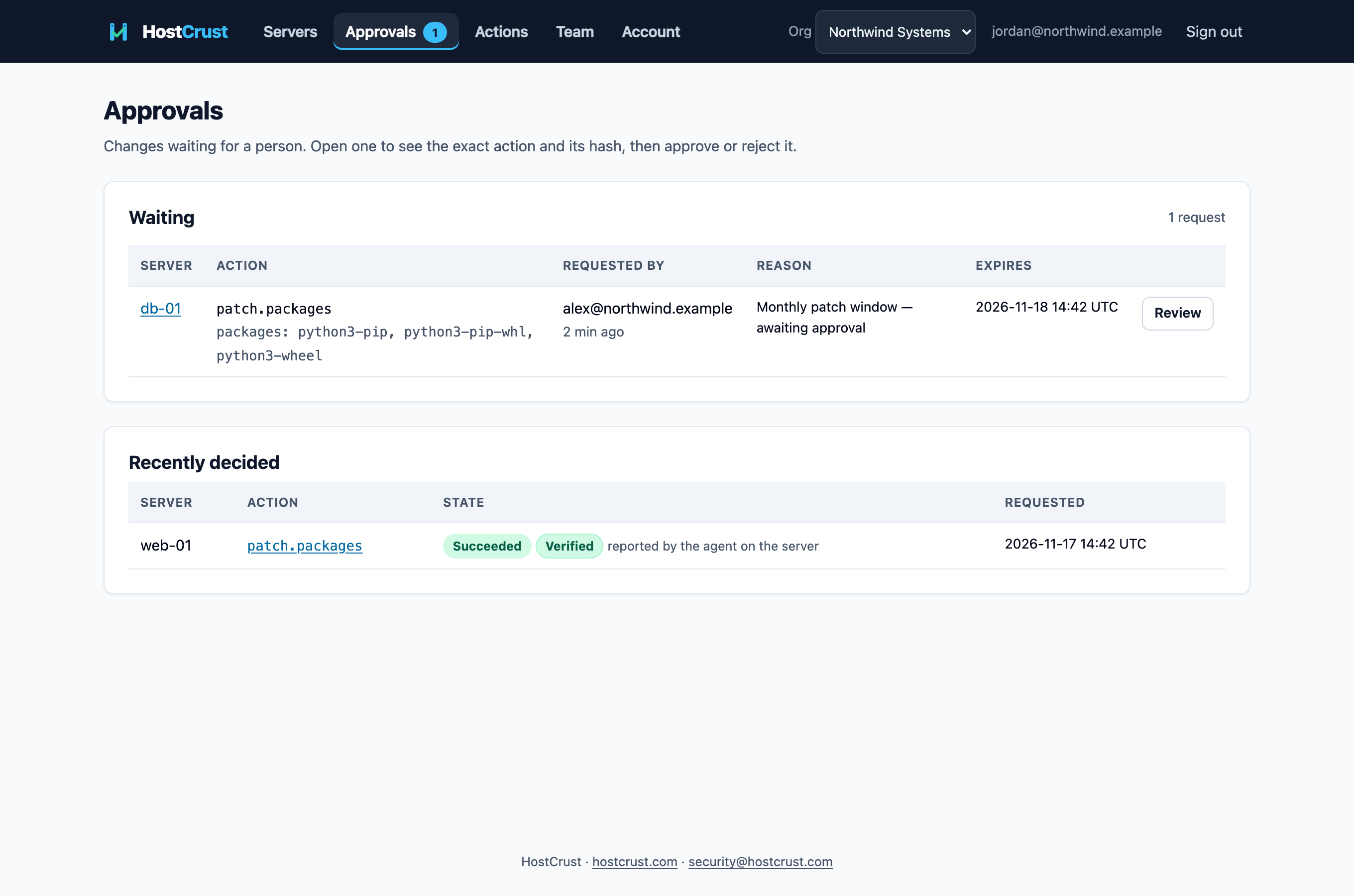
The Approvals page is where changes that need a person are decided. The top bar shows a count on the Approvals nav item whenever something is waiting for you.
The waiting queue
Under Waiting you'll see each request's server, the exact action and its parameters, who requested it (an AI agent is badged as such), their reason, and when the approval expires. Open one with Review to see the full detail and the action hash before you decide.
Deciding a request
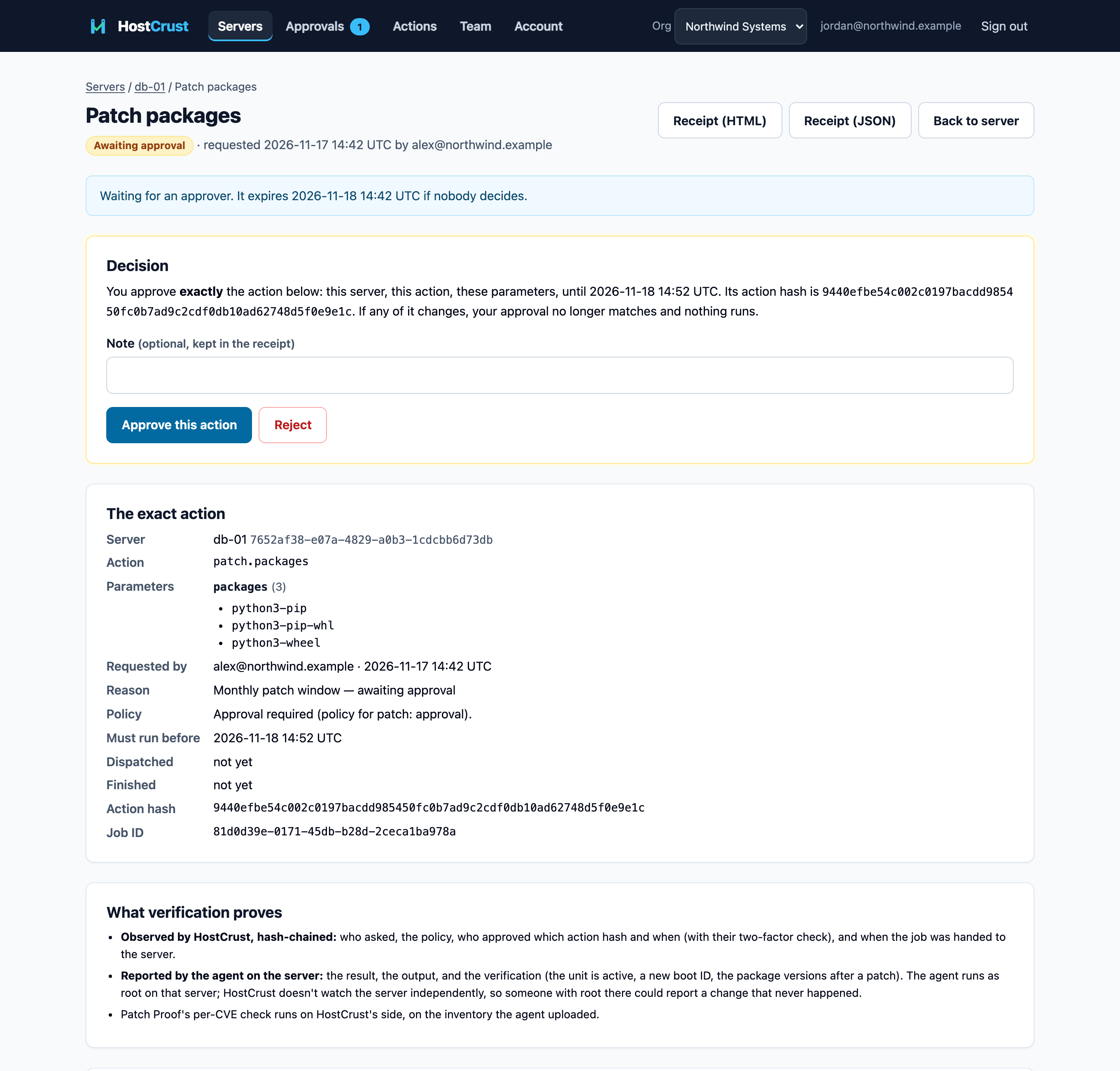
On the request, HostCrust asks for a fresh two-factor check, then lets you approve or reject. You're approving the exact action hash: if the request's parameters changed after you looked, the approval would no longer match and nothing would run. The server's agent also re-checks its own allowlist before running anything.
What each decision means
- Approved — "Approved. The server picks it up on its next check-in." The change is queued and runs on the server's next check-in.
- Rejected — "Rejected. Nothing will run." The request is closed.
- Expired — if no one decides before the expiry shown in the queue, the request lapses and nothing runs.
After it runs, HostCrust verifies the change and writes a receipt — see Applying a patch. The Recently decided list on the Approvals page keeps the recent history.
Who gets notified
When a change needs approval, HostCrust emails the people who can approve it ("Requested. It waits for an approver; they were notified by email."). If you're the organization's only approver, nobody else is emailed and you can approve it yourself; the receipt records the self-approval.
This documents the HostCrust product as of November 17, 2026. The screenshots are from the app.
FAQ
Who can approve a change?
Anyone with the Approver, Admin or Owner role. Viewers and Members can see the queue but can't decide. See Team & roles.
Why am I asked for a two-factor code when I approve?
Approving a change is a sensitive action, so HostCrust requires a fresh authenticator (TOTP) check — within the last 12 hours — before you decide. A recovery-code sign-in is asked for a TOTP code first.
Can I approve my own request?
If you're your organization's only approver, you can — the receipt records it as a self-approval. If there are others, invite an approver so changes get a second pair of eyes. Requests you made show as "(you)" in the queue.
Do approvals expire?
Yes. Each waiting request shows an expiry; if it isn't decided in time it lapses and nothing runs. Setting a class to blocked also cancels its requests that are still waiting.