HostCrust documentation
HostCrust connects your Linux servers with a small, outbound-only agent, runs Patch Proof on each one every day, and lets your team make changes — patches, reboots, service restarts — through a guarded flow where every change is requested, checked against policy, approved by a person by default, run on the server, verified, and recorded in a receipt you can export.
This documentation covers everything from connecting your first server to applying a kernel patch and reading the receipt afterwards. If you're new, start with Getting started.
How HostCrust works
Four things happen, in order, for every server you connect:
- Connect — you install a small agent on the server. It only ever connects outbound to HostCrust; nothing listens for inbound connections. See Add a server.
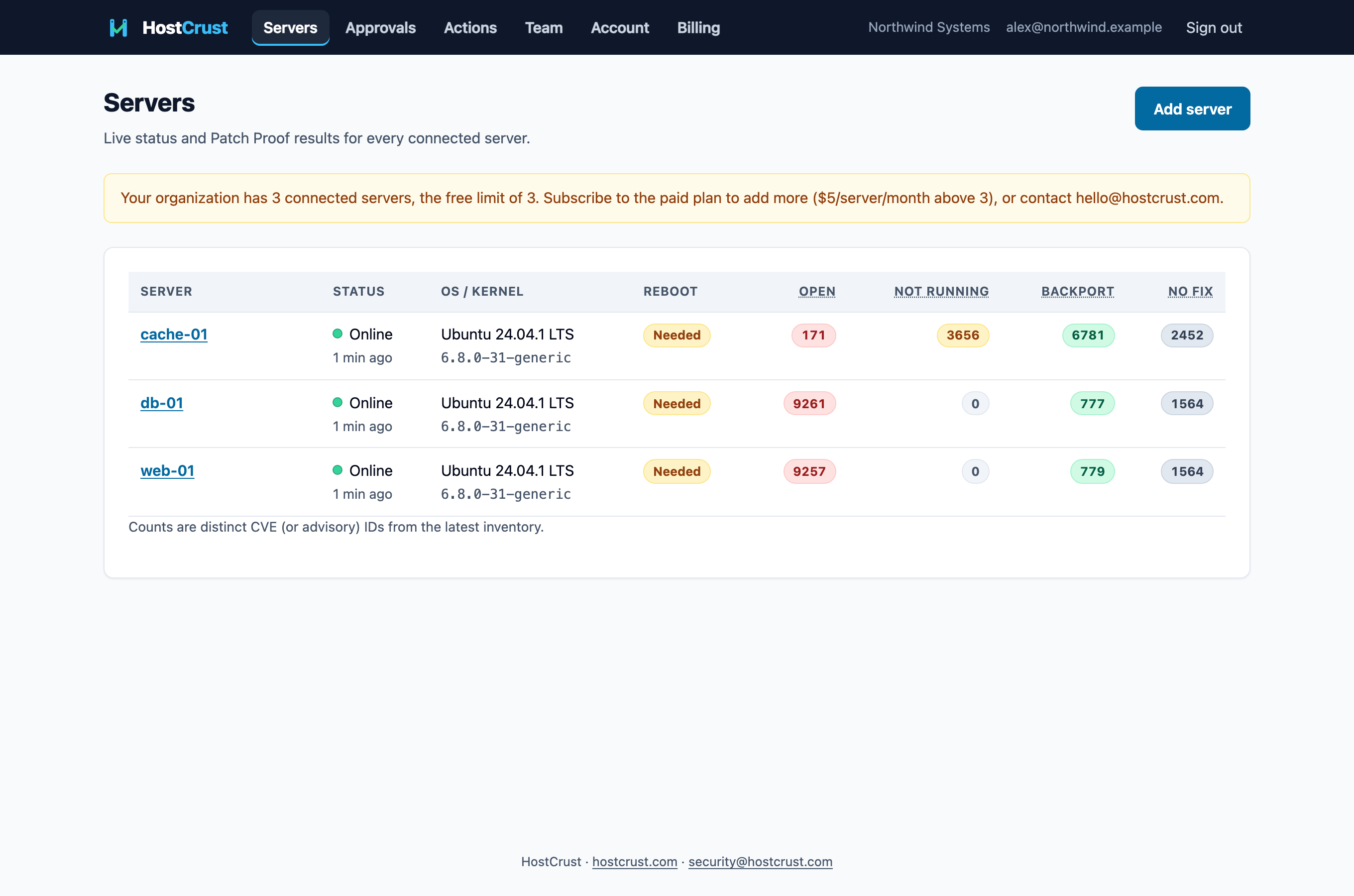
- Check — the agent uploads a package inventory after enrolling and then daily. Patch Proof compares every installed package and the running kernel against your distribution's own security data, per CVE.
- Change — when something needs patching, a person requests it. The change is checked against your org's action policy, approved by a person (unless the policy runs that class automatically), and run on the server's next check-in.
- Prove — HostCrust verifies the change took effect (re-running Patch Proof, or checking the server came back with a new boot ID) and writes a receipt you can export.
Documentation
- Getting startedCreate a HostCrust account, turn on two-factor sign-in, and connect your first Linux server so Patch Proof can run on it daily.
- Add a serverConnect a Linux server to HostCrust: create a short-lived enroll token and install the small, outbound-only agent as a systemd service.
- Reading Patch ProofUnderstand the four Patch Proof states — Open, Not running, Fixed by backport, No fix yet — and why it's accurate where version-only scanners aren't.
- Applying a patchHow a change runs in HostCrust: request, policy, approval, run, verify and receipt — including the kernel Patch everything and reboot path.
- ApprovalsHow approvers review and decide changes in HostCrust: the waiting queue, the two-factor check, and approving the exact action hash.
- Team & rolesInvite teammates to HostCrust and give each a role — Viewer, Member, Approver, Admin or Owner — that decides what they can do.
- BillingHostCrust is free for 3 connected servers, then $5 per server per month above that, billed monthly through Stripe. How to subscribe and manage it.
The guardrails, in one place
Three limits always apply to any change, no matter who requests it:
- The server decides what it will run. Each server's /etc/hostcrust/agent.conf lists the action classes it will accept. The agent refuses every other class. Shell is off unless you turn it on there.
- A person approves. Your org's action policy can set each class to run automatically, wait for approval, or be blocked — but a request from an AI agent always waits for a person.
- An approval covers only the exact action. The request records the exact parameters and an action hash; an approver approves that hash. If anything changes, the approval no longer matches and nothing runs.
FAQ
Do I need to open any ports to use HostCrust?
No. The agent makes only outbound HTTPS connections to app.hostcrust.com. There are no inbound ports and no shared SSH keys.
What does HostCrust cost?
It's free for up to 3 connected servers. Above that it's $5 per connected server per month, billed monthly through Stripe. See Billing.
Can HostCrust change my server without me knowing?
No. Every change is requested by a named person (or an AI agent), and by default waits for a human approval before it runs. Your server's own agent.conf also decides which classes of action it will ever run.